How Click Farms and Bots Bypass CAPTCHA
Jeffrey Edwards
Cyber Risks & Threats
October 12, 2022
If you’re a human on the internet, chances are you’ll be asked to prove it at some point. We’ve all encountered the increasingly convoluted tests that ask us to prove our humanity by reading bad cursive, identifying traffic lights, or finding the bus in a grid of oddly bus-like planes.
These tests are called CAPTCHA, short for Completely Automated Public Turing to tell Computers and Humans Apart, and for decades they’ve been the first line of defense against bots and fake traffic. But all those years putting the kibosh on bots and hackers means that bad actors have had a lot of practice getting past these challenges. As a result, CAPTCHAs are now both less effective at blocking bots and more difficult for actual humans to complete.
Contents
How Does CAPTCHA Affect User Experience?
What Happens when Bots Bypass Your CAPTCHA?
What is a CAPTCHA?
CAPTCHA is an acronym that stands for Completely Automated Public Turing test to tell Computers and Humans Apart.
A CAPTCHA is a tool that is utilized online in order to tell humans apart from programs. There are many types of CAPTCHA, which we will explore in detail below, but for the most part, these tests revolve around tasks that rely on human sensory and cognitive skills, such as identifying the contents of an image or deciphering a line of distorted text. These tests are meant to be quick and easy for a human, but difficult for computer programs, which view
CAPTCHA has been around since the late 1990s, and by now, advanced bots are often able to bypass simple text and image-based CAPTCHAs. As a result, more advanced CAPTCHA now leverage behavior recognition and fingerprinting to maintain website security.
Why is CAPTCHA Used?
CAPTCHA is used by any website that wants to restrict access from bots. The use of CAPTCHAs is widespread–over 30 million websites use reCAPTCHA alone–and the tests are typically placed at gate points in the user experience, such as a download or account creation form, a ticketing system, or a comments section.
CAPTCHAs help businesses filter out potential spam comments, ticket inflation, or even account takeover attacks from malicious bots.
[See how many bots are in your funnel with a free Invalid Traffic Scan.]
Types of CAPTCHA
There are many varieties of CAPTCHAs, each with unique advantages and disadvantages. Below are a few of the most prevalent kinds of CAPTCHAs.
Text CAPTCHA
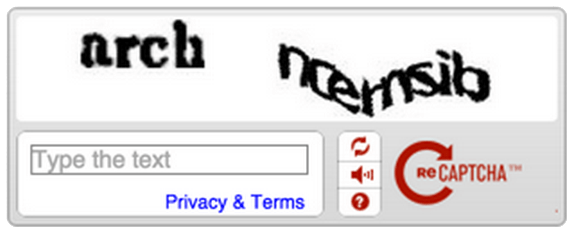
Text-based CAPTCHA is the most common variety and one of the easiest for humans and bots alike to solve. Typically, these CAPTCHAs present the user with a distorted image of a word or passcode, which the user must then verify in an input field to prove their humanity.
The idea behind these wavy text images is to disrupt the way that computers ‘read’ images by breaking up any patterns that programs may have been trained to recognize as text. Think of it as camouflage for words.
Image CAPTCHA
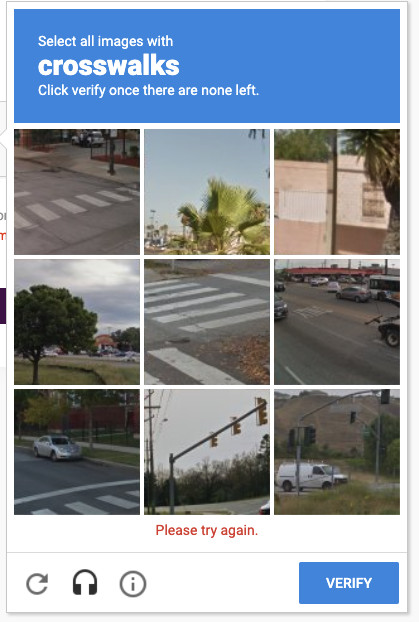
Image recognition-based CAPTCHA is another commonly used test that prompts the user to prove their humanity by correctly identifying sets of images, or portions of a single image. ‘Click every tile with a crosswalk’ or ‘click every image containing a school bus’ are examples. Computers have great difficulty detecting objects in images, and that kind of capability is hard to build and usually out-of-reach for botnets, so image CAPTCHAs are usually effective at keeping out bots. But while they do their job well, they’re also cumbersome and annoying for real users and can cause friction and even abandonment in the customer journey.
Audio CAPTCHA
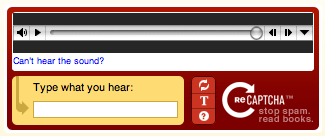
Audio CAPTCHA presents the user with a short audio clip and then prompts them to enter all of or a portion of what they heard. This can be time-consuming, especially compared to a text-based CAPTCHA, and can negatively affect page-load times, but it is a fairly effective tool for bot mitigation.
Google reCAPTCHA and Behavior-Based CAPTCHA
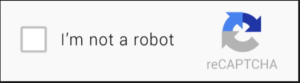
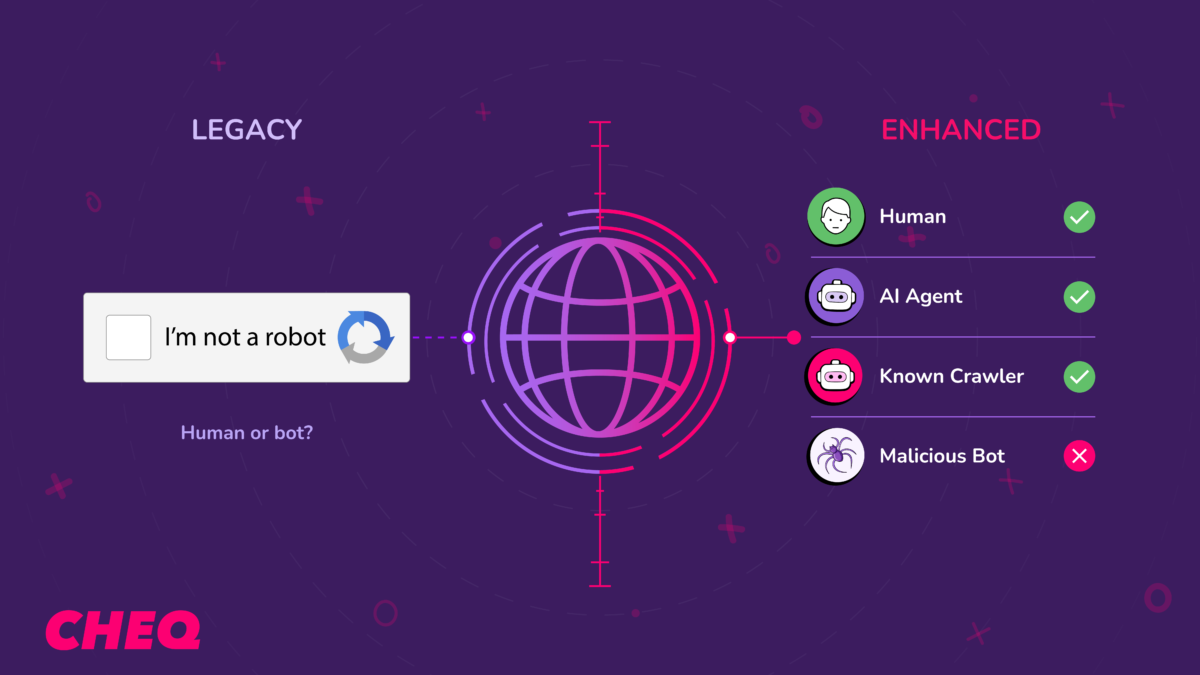
Behavior-based CAPTCHA, like the popular Google reCAPTCHA examine how a user interacts with a webpage to make a decision on their humanity. The classic example is the “I’m not a robot” check box, which tracks mouse movements to evaluate users. If reCAPTCHA belives a user is human, they are presented with the simple checkbox test, but if they are believed to be a bot they may be presented with a more difficult image-based test.
By providing different tests based on contextual clues, reCAPTCHA aims to reduce the friction CAPTCHA place on user experience while still providing tough verification for suspicious users.
How Do CAPTCHAs Affect User Experience?
The clear benefit of CAPTCHA is that it is an effective technique to keep common, simple bots off of websites, but there are some major drawbacks to CAPTCHA use, particularly in how they affect real human users.
CAPTCHAs–especially difficult CAPTCHAs–can be very disruptive to user experience, and may be difficult for certain audiences to use or understand, resulting in a high rate of false positives and page abandonment.
CAPTCHAs are particularly disruptive for mobile users, who are much more likely to leave a website when challenged vs. a desktop user.
How do Bots Pass CAPTCHA Challenges?
CAPTCHA are effective at blocking simple bots from accessing web content, but they aren’t a silver bullet. As CAPTCHAs have increased in complexity, so have bots and botnets, and today there are several techniques, and even commercial services that bad actors can leverage to bypass CAPTCHA checks. Below are a few of the strategies used to get past Turing tests.
Optical Character Recognition (OCR)
Simple text-based CAPTCHAs, without significant distortion can easily be bypassed using Optical Character Recognition (OCR) technology, which recognizes the text inside images and converts the written text into machine-readable text data. If text is not solved in a single try, attackers may filter text images to enhance OCR readability, or simply try again–complete accuracy is not necessary when solving CAPTCHAs, as most CAPTCHAs will offer multiple challenges to solve before blocking a user.
Artificial Intelligence (AI)
When OCR fails, attackers must resort to more sophisticated solutions. Machine learning models such as Convolutional Neural Network (CNN) or Recurrent Neural Network (RNN) can be leveraged to help bots better recognized complex CAPTCHAs, as they can be trained on thousands of examples. Open-source CAPTCHAs are even easier to train a machine learning system on, as the attackers can leverage the CAPTCHAs code to provide thousands of possible challenges. However, AI is cost-prohibitive and time-intensive, so outside of research projects and specialized APIs sold to crack CAPTCHAs, the use of machine learning to solve CAPTCHAs is not widespread.
Browser Extensions and APIs
Browser extensions such as Buster are marketed as tools to help human users solve annoying or difficult CAPTCHA verification challenges, but they can easily be leveraged by bots. Even innocuous APIs can be used, for example Google’s reCAPTCHA allows users to download audio files, which can then be solved with Google’s own Speech Recognition API!
CAPTCHA Services and Click Farms
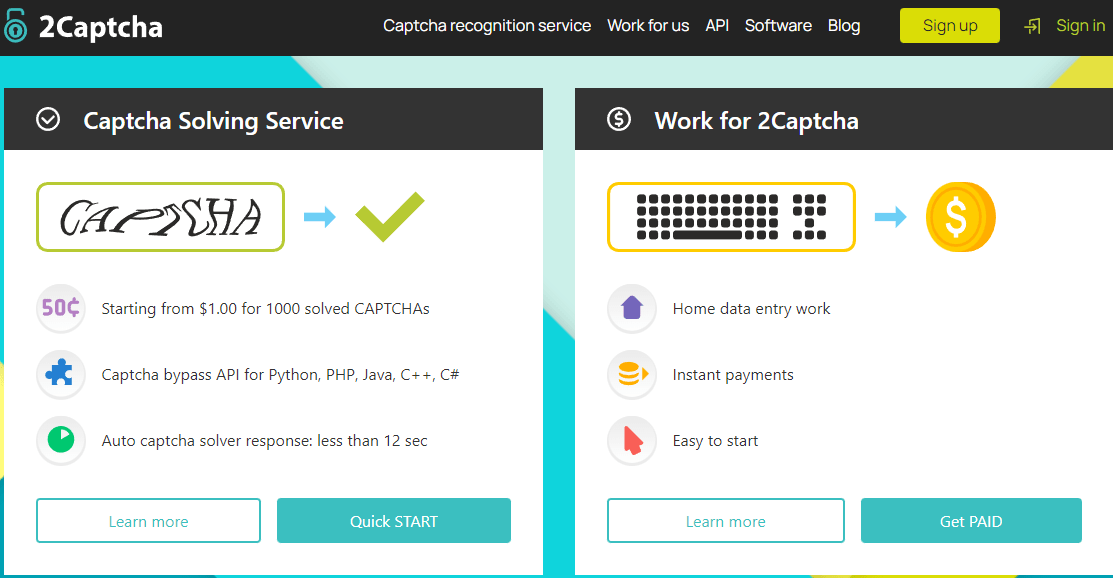
For hackers who don’t want to develop their own solutions for CAPTCHA challenges, there are a plethora of solutions available that will help them bypass checks for astonishingly low costs. These CAPTCHA services range from APIs leveraging sophisticated AI tools, such as Death By Captcha, which charges $1,39 per 1000 solved CAPTCHA, to click farms that hire large numbers of human workers to manually solve CAPTCHA challenges. These ‘CAPTCHA Farms’ leverage simple APIs that allow a client bot to call the service when it encounters a CAPTCHA, and the workers then solve the CAPTCHA and deliver the response token back to the bot, which enters it and continues its attack.
Pricing for leading vendors such as 2Captcha is around $0.77 per 1,000 Captchas, and the services offer 24/7 availability with thousands of workers available at any time.
These services offer the added benefit of cutting costs for hackers by reducing the infrastructure costs related to spinning up computational resources for complex bots; instead, attackers can leverage simple, lightweight bots and call in help as needed.
What happens when bots bypass your CAPTCHA?
So once bots have bypassed CAPTCHAs, what do they do? The answer varies from botnet to botnet, but it’s safe to assume they’re up to no good. Below are a few of the potential attack vectors and ill effects carried out by bots.
Spam Comments and Potential XSS Attacks
Without an effective way to keep bots out of your comments section, you can expect a marked uptick in spam comments with fishy links. In the worst-case scenario, it’s possible that bots could leverage your comments to carry a stored or reflected XSS attack.
Web Scraping Attacks
Another reason bots may be attempting to access gated sections of your website is to carry out web scraping attacks. Web scrapers are automated scripts that scan certain websites to mine valuable information. Scrapers are programmed to scan and steal updates, content, product details, prices, and more.
Account Takeover Attacks
Attackers may also be attempting to brute force login to legitimate accounts in order to access and control them. To carry out these account takeovers, attackers will often leverage bots that attempt to login using a list of stolen user information purchased on the dark web (credential stuffing) or brute force attacks (cracking).
Lead Generation Fraud
Fraudulent ad publishers may also leverage bots to engage with your campaigns and website to create leads with fake or stolen user data within your marketing funnel. Not only does this defraud your budgets, CRM databases, and sales pipelines contaminated with bot data also waste valuable sales and marketing resources.
New Account Fraud
Attackers may create hundreds or thousands of new user accounts in order to abuse marketing promotions or make fraudulent transactions.
Depleted Resources
Customers expect your site to be fast and responsive, but bots and fake users crowding your site and overloading certain processes can paralyze site performance, causing lag and time-outs. Bot activity that slows your site has a significant impact on your real customers. Customers may grow frustrated and abandon their efforts, resulting in a loss of sales, lower conversion rates, and reduced enthusiasm for future engagement with your company.
Stop Bot Traffic with CHEQ
While CAPTCHAs still have their place in a comprehensive bot mitigation strategy, it’s clear that they can’t be relied on as a sole line of defense.
For businesses serious about protecting their pipeline, a comprehensive go-to-market security platform will help automatically detect and block invalid traffic in real-time, whether the source is paid, organic, or direct, and provide better insight into marketing analytics.
CHEQ leverages thousands of security challenges to evaluate site traffic in real-time, determine whether a visitor is legitimate, suspicious, or invalid, and take appropriate action to block or redirect that user. Book a demo today to see how CHEQ can keep malicious bots off your site and protect your go-to-market efforts.

Author
Jeffrey Edwards
Content Marketing Manager
Jeff is the resident content marketing expert at CHEQ. He has several years of experience as a trained journalist, and more recently in his career found a knack for communicating complex cybersecurity topics in an approachable yet detailed manner.