What Is Carrier-Grade NAT (CGNAT)? How Shared IPs Affect Security and Traffic Quality
Spencer Bossi-Johnson
Threat Intelligence
October 28, 2026
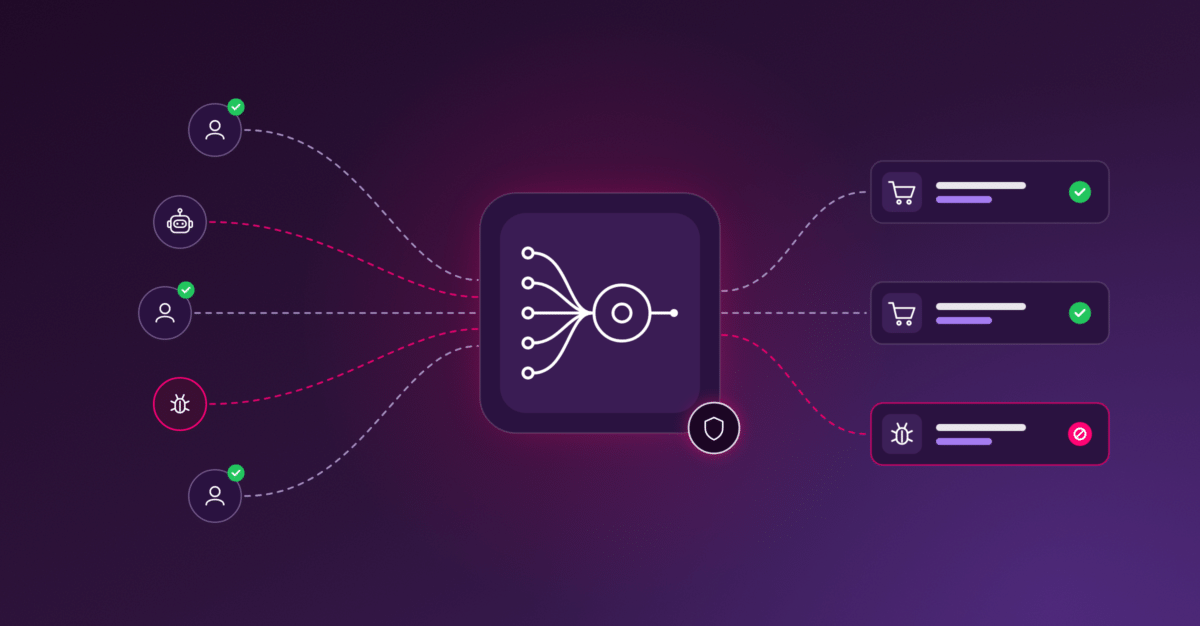
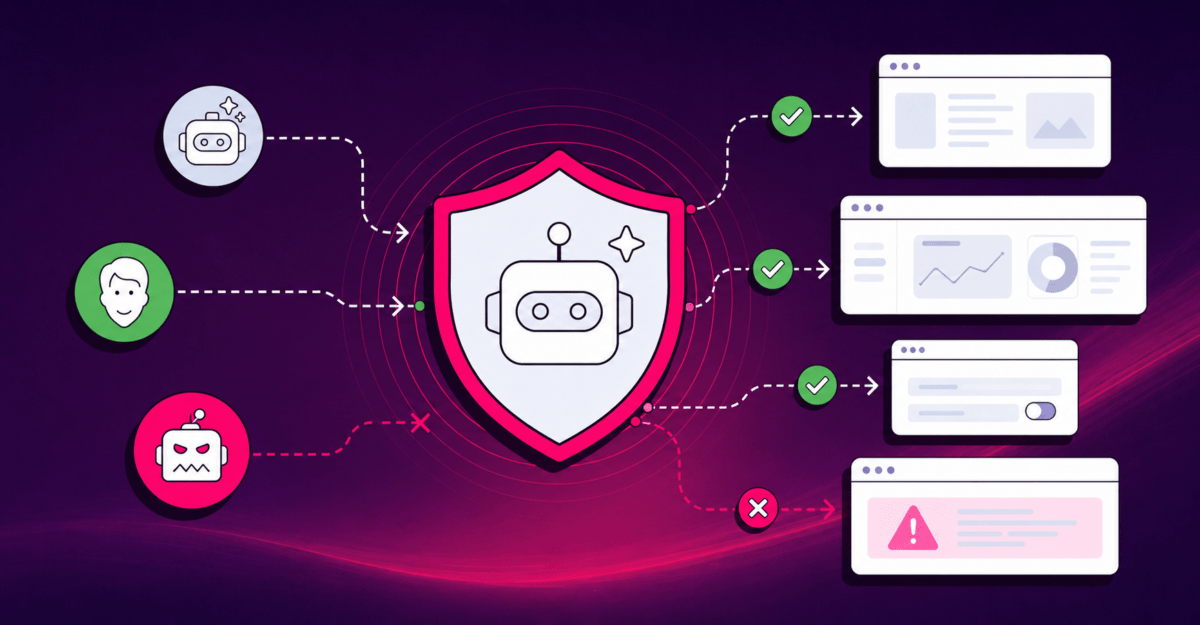
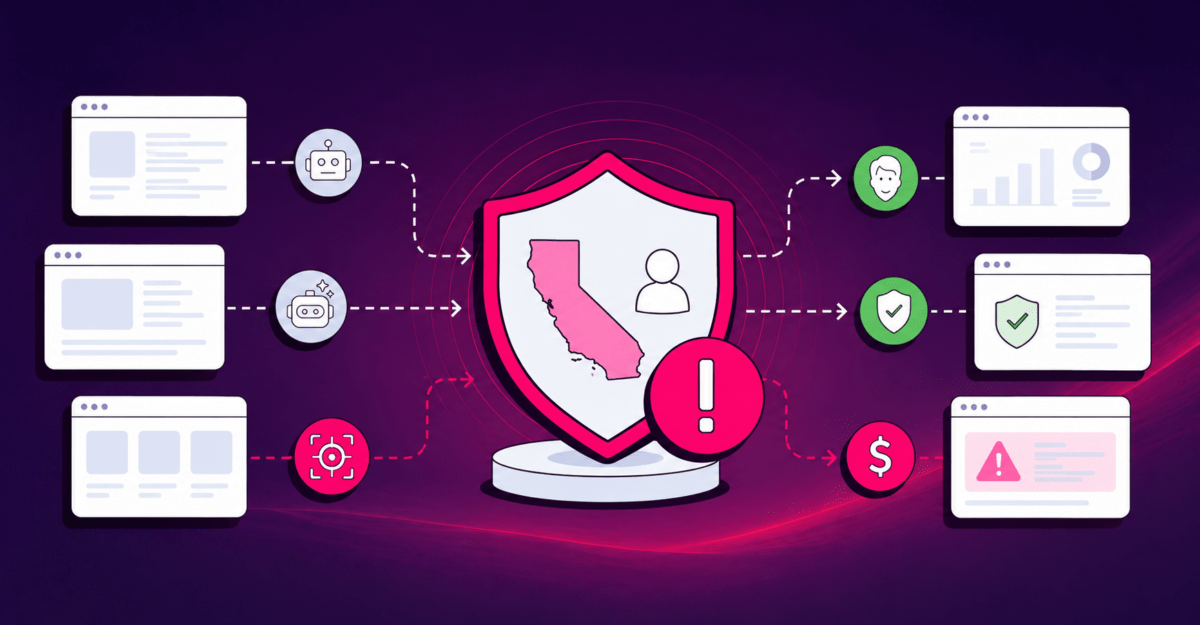
Carrier-grade network address translation (CGNAT) is a technique internet service providers (ISPs) and mobile carriers use to share a single public IPv4 address among many customers. A single address may be shared by hundreds or even thousands of users. It exists because the world ran out of available IPv4 addresses, and IPv6, which solves the shortage, still reaches fewer than half of users. For website owners and security teams, CGNAT means one IP address no longer equals one user, so blocking or rate limiting by IP can shut out large numbers of legitimate visitors while letting bad actors hide in the crowd.
In this article, we’ll explain what CGNAT is, how it works, and why it creates problems for website owners. You’ll also see how CHEQ’s detection helps teams tell real users apart from the bad actors hiding behind a shared IP address, without turning away good customers.
- CGNAT lets one public IP serve many subscribers. Carriers number their internal side with non-public space, often 10.0.0.0/8 or the 100.64.0.0/10 block reserved for CGNAT.
- It is most common on mobile networks and in regions with scarce IPv4 supply.
- IP-based blocking, rate limiting, and IP reputation scoring become unreliable behind CGNAT.
- Proxy networks route traffic through mobile carrier IPs and sell them as hard to block because real users share them.
- Accurate detection requires session-, device-, and behavior-level signals, not IP alone.
What Is Carrier-Grade NAT (CGNAT)?
Carrier-grade NAT is a form of network address translation (NAT) run by an internet provider rather than by a home or office router. It lets a provider share a small number of public IP addresses across a large number of customers.
To understand CGNAT, it helps to start with regular NAT. Your home router already uses it, with every device in your house getting its own private address that only works inside your home network. When any of those devices goes online, your router swaps that private address for your household’s single public address, then keeps track of which device sent what so responses come back to the right place.
CGNAT applies the same idea one level up, inside the provider’s network. Instead of one household sharing an address, many households and mobile customers share one. That’s why it’s also called large-scale NAT (LSN). The “carrier-grade” part describes where the NAT sits: inside the carrier’s network, translating traffic for many subscribers. It’s also known as NAT444, because traffic is often translated twice: once by the customer’s router and again by the carrier. To keep this from clashing with home networks, a block of addresses (100.64.0.0/10) was set aside in 2012 specifically for carriers to use inside their networks.
You can think of it like an apartment building. Every unit has its own number inside, but all mail leaving the building carries the same street address. A website receiving a request sees only that shared “street address,” not which unit sent it.
Why Do ISPs and Mobile Carriers Use CGNAT?
Carriers use CGNAT because there aren’t enough IPv4 addresses for every connected device, and the replacement system isn’t fully in place yet.
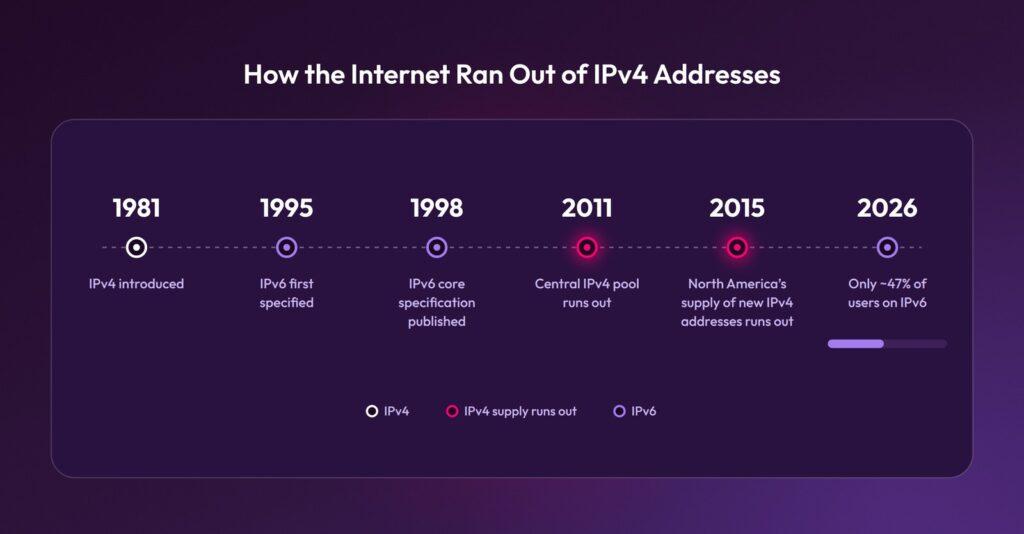
Every device that connects to the internet needs an address so information knows where to go. The system most of the internet still uses is called IPv4, which was introduced in 1981 and allows for about 4.3 billion addresses. That seemed like plenty at the time, but phones, laptops, smart TVs, and other connected devices eventually used them up. On February 3, 2011, the Number Resource Organization (NRO) announced that the central pool used to supply regional registries was gone. North America’s registry, ARIN, gave out its last free addresses on September 24, 2015. Today, new addresses come mainly from waiting lists or from buying them on a transfer market, which is expensive.
Engineers saw this coming. They first specified IPv6 in 1995, and then published its long-standing core specification in 1998, which was a newer system with enough addresses to give every device its own many times over. The catch is that switching requires upgrades across the internet, from providers’ equipment to websites themselves, and that work is still underway.
As of October 12, 2026, Google’s IPv6 statistics showed that only about 47% of users reach Google over IPv6, which means more than half still connect over IPv4. And adoption varies by country, too. Some countries, like France and India, see more than 70% of users connecting over IPv6, while others, including Italy, Spain, and Egypt, remain far behind. Until IPv6 is everywhere, providers short of IPv4 addresses lean on shared addresses.
Internet providers needed a way to keep adding customers in the meantime, and carrier-grade NAT became that bridge. Instead of giving each customer their own address, they let many customers share one. Mobile networks are the heaviest users of CGNAT, because they connect huge numbers of devices that rarely need to accept incoming connections. Many home broadband providers use it too, often for newer customers.
How Does CGNAT Work?
CGNAT works by translating each subscriber’s connection to a shared public IP address plus a unique port, so return traffic finds its way back to the right customer. Here’s the path a typical request takes:
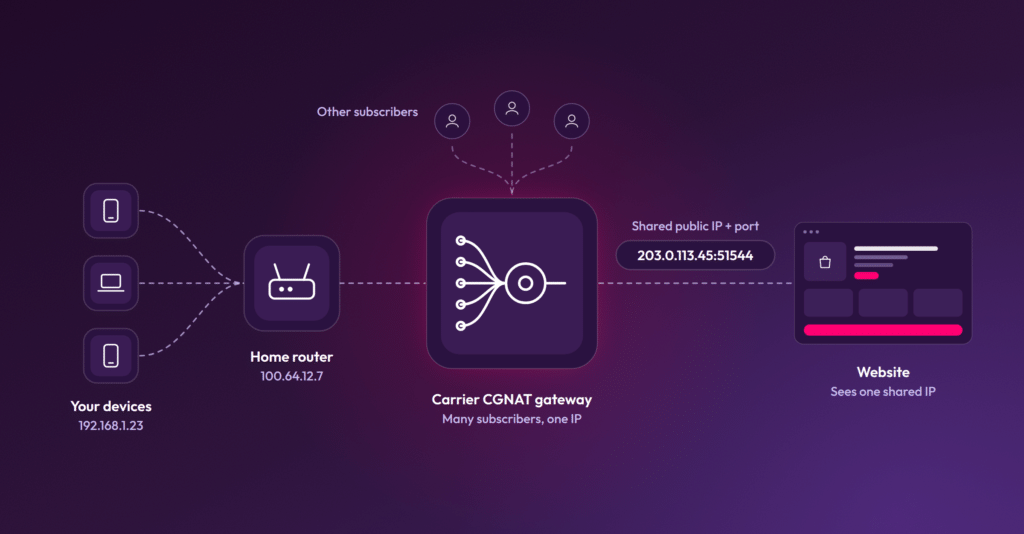
- Your phone or laptop usually gets a private address from your home router or the mobile network.
- On home broadband, your router’s internet-facing side gets a carrier-internal address instead of a public IP. On mobile, your phone gets that internal address directly.
- The carrier’s CGNAT gateway swaps your address for a shared public IPv4 address and assigns your connection a port number on it. Some carriers give each subscriber a set range of ports, while others assign ports one connection at a time. For example, a subscriber using the carrier address 100.64.12.7 might leave the network as 203.0.113.45:51544. When the website replies to that address and port, the gateway knows to send it back to that subscriber.
- The website receives the request from that shared public IP, alongside requests from every other subscriber mapped to it.
Only the carrier can link a given connection back to a specific subscriber, using its translation logs, and only if it’s given the exact public IP, port, and time (RFC 6302). A website on the receiving end has no access to any of this.
What’s the Difference Between CGNAT and Traditional NAT?
The core difference is scale and ownership. Traditional NAT is run by whoever owns the network, such as a household, office, or campus, sharing one IP, while CGNAT is run by the ISP itself across many of its customers.
| Attribute | Traditional NAT | Carrier-Grade NAT |
|---|---|---|
| Operated by | You (home or office router) | Your ISP or mobile carrier |
| Users per public IP | One household or office | Many users per IP |
| Internal address range | Private ranges like 192.168.0.0/16 or 10.0.0.0/8 | Carrier-internal space, often 10.0.0.0/8 or the reserved 100.64.0.0/10 |
| Layers of translation | One | Two on home broadband (NAT444); often one on mobile |
| Inbound connections and port forwarding | Configurable by the user | Generally not available to the user |
| What a website sees | One IP per household | One IP for many unrelated people |
Why Is CGNAT a Problem for Website Owners and Security Teams?
CGNAT breaks the assumption that one IP address represents one person. Most fraud, bot, and abuse defenses were built on that assumption. When it fails, the cost lands on both security and growth teams.
Researchers at Cloudflare noted in 2025 that an IP-based security system can block or throttle large groups of users because one person behind a CGNAT address misbehaves. They also found CGNAT is more heavily used in Africa and Asia, making it a likely hidden source of bias against users in those regions.
IP blocking causes collateral damage
Blocking one abusive CGNAT address can block every legitimate customer mapped to it. On a mobile network, that may mean cutting off hundreds of real shoppers, sign-ups, or leads at once.
Rate limits misfire
A shared IP naturally sends far more requests than a single household. Rate limits tuned for individual users can mistake normal combined traffic for an attack and throttle everyone.
IP reputation gets polluted
A few bad actors can drag down the reputation score of an address shared by many people. The other users on that IP can inherit the penalty, often in the form of extra CAPTCHAs or outright blocks. The problem is well documented. The Internet Engineering Task Force flagged it in RFC 6269 §13.1, and in a 2016 IMC study of 75 internet providers, operators named shared reputation as a concern when deploying CGNAT.
This same risk applies to advertisers. For example, blocking an IP address on Google Ads because of suspicious clicks means you may be hiding your ads from everyone who shares it.
Location and analytics data skew
CGNAT gateways can sit far from the actual user, so IP-based geolocation becomes less precise. That’s one reason advertisers sometimes find themselves getting clicks from the wrong geos, even with tight location targeting. Unique-visitor counts, frequency caps, and attribution models that rely on IP also break down when many people look like one visitor.
How Do Bad Actors Exploit CGNAT?
Bad actors exploit CGNAT by hiding inside the crowd of legitimate users who share a carrier IP. Because blocking a carrier address risks blocking many real users, proxy sellers market those addresses as cover for bots and fraud.
- Mobile proxy networks: Commercial proxy services route proxy traffic through real phones on carrier networks, often recruited through proxy SDKs embedded in ordinary apps (NDSS 2021). Many openly market mobile IPs as the hardest type to block, precisely because of CGNAT.
- Borrowed reputation: Cloudflare found that traffic on CGNAT addresses is mostly human, so IP-level reputation scores for those addresses tend to look low-risk. Proxy sellers advertise this.
- Natural rotation: Some carriers give the same subscriber different shared addresses from one connection to the next (about a fifth of CGNs in a 2016 study), so the IP a bad actor uses today may belong to someone else tomorrow.
- Hiding in the volume: A bot sending a modest number of requests looks unremarkable against the large baseline volume a shared IP already produces.
The result is a false choice for defenders: block the IP and lose real customers, or allow it and let fraud through. The way out is to stop treating the IP address as the unit of trust.
How Can You Tell If Traffic Is Coming From Behind CGNAT?
Websites never see the carrier’s internal addresses, so CGNAT has to be inferred from traffic patterns.
| Signal | What It Suggests | Limitation |
|---|---|---|
| IP belongs to a mobile carrier or large consumer ISP | High likelihood of address sharing | Not every carrier IP is shared |
| Many different visitors active on one IP at the same time | Multiple unrelated users | Also true of offices, schools, VPNs, satellite internet, and corporate proxies. Visitor counts can also be inflated when people clear cookies or browse privately, or when bots rotate cookies. |
| Mostly normal engagement with a minority of odd sessions | Real users mixed with bad actors | Requires per-session analysis to separate |
| Inconsistent or wide-ranging location signals | Carrier gateway serving a large area | Geolocation is imprecise on its own |
No single signal is conclusive. Combined, they make it likely an IP is shared and that IP-level decisions are risky.
What’s the Best Way to Find Bad Actors Behind a Shared IP Address?
The best approach is to evaluate each visitor individually instead of each IP address. That shifts the question from “is this IP bad?” to “is this session real?”
-
- Analyze sessions and devices, not IPs: Treat the IP as one data point among many, not the deciding factor.
- Layer your signals: Combine device and browser characteristics, behavioral patterns, network intelligence, and history to build confidence about each visitor.
- Use graduated responses: Monitor, challenge, or block individual sessions based on risk, rather than applying blanket IP blocks.
- Audit false positives on mobile traffic: Review how often real mobile and carrier users get blocked or challenged, since they are the most likely casualties of IP-based rules.
This matters even more on the agentic web, where AI agents browse, compare, and buy on people’s behalf. A single shared IP address can now carry real people, the agents working for them, and bots imitating both, and the address alone can’t tell you which is which.
How CHEQ Separates Real Users From Bad Actors Behind CGNAT
CHEQ evaluates every visitor on its own merits, so a shared IP address doesn’t force an all-or-nothing decision. Instead of asking whether an IP is good or bad, CHEQ determines whether each session comes from a real person, a bot, or a fraudulent actor.
- Session-level detection: CHEQ runs more than 2,000 real-time cybersecurity challenges on every visit, spanning device, browser, behavioral, and network data, to identify each visitor behind a shared address.
- Precise action on bad actors: Bots and fraudulent sessions can be flagged or blocked individually, so real users on the same IP don’t have to be blocked along with them.
One IP address used to mean one visitor. Behind carrier-grade NAT, it can mean hundreds of real people, so blocking it to stop one bad actor takes everyone else down with it. You have to judge each visit on its own evidence, not the address it arrives from.
Example: one IP, roughly 750 devices
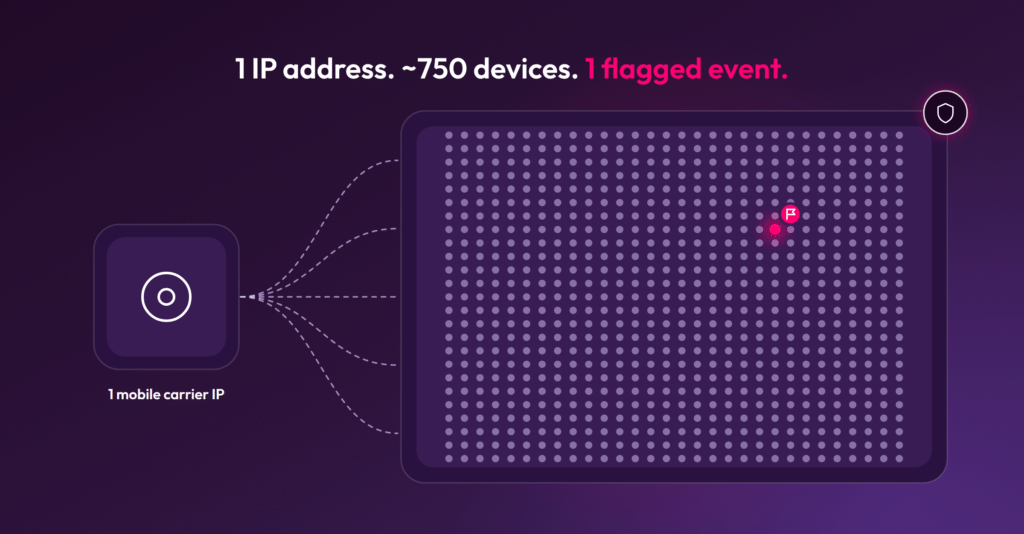
On a single weekday, one large retailer’s website received traffic from roughly 750 different devices through one mobile-carrier IP address: nearly 190 of them in the busiest hour, and up to 39 in the same five minutes. They were ordinary phones and computers (71% Android, 24% iPhone/iPad) following a normal daytime pattern, and the same IP showed a similar crowd every day that week (598–781 devices a day). CHEQ flagged only 1 of its 5,424 events as invalid. A traditional IP block would have cut off every one of these devices to stop 1 flagged event.
| Finding | Result |
|---|---|
| Different devices behind the IP (one day) | Roughly 750 |
| Devices in the busiest hour | Nearly 190 |
| Devices active in the same 5 minutes (peak) | 39 |
| Device mix | 71% Android, 24% iPhone/iPad |
| Traffic flagged as invalid by CHEQ | 1 of 5,424 events (<0.1%) |
| Same IP, other days that week | 598–781 devices a day |
| Outcome | An IP block would hit ~750 devices to stop 1 flagged event |
What This Means for Your Marketing and Security Teams
Moving from IP-level to visitor-level decisions protects both your defenses and your growth. For teams dealing with CGNAT traffic, that means:
- Protected ad spend: Reduce spend on bot clicks from carrier IPs without excluding mobile audiences from campaigns.
- More accurate data: Analytics, attribution, and audience segments are less distorted by many users collapsed into one IP.
- Fewer false positives: Real customers on mobile networks face fewer unnecessary blocks or CAPTCHAs.
- Stronger security: Bots and fraudsters get less cover from a shared carrier IP.
Want to see how many real users are hiding behind your highest-volume IP addresses? Request a free traffic assessment with CHEQ.
Frequently Asked Questions About CGNAT
What IP range does CGNAT use?
Carriers often use the shared address space 100.64.0.0/10 (100.64.0.0 to 100.127.255.255), reserved for CGNAT in 2012 (RFC 6598), but many use private ranges such as 10.0.0.0/8 instead. These addresses are not routed on the public internet, so websites see only the shared public IP.
Is CGNAT the same as a VPN or proxy?
No. CGNAT is run by your carrier automatically, while a VPN or proxy is a service someone chooses to route their traffic through. However, some proxy services deliberately use carrier networks so their traffic looks like it comes from ordinary mobile users.
Can you block a CGNAT IP address without blocking real users?
Not reliably. Blocking a CGNAT address blocks everyone mapped to it. To stop a bad actor without affecting others, you need to identify and act on individual sessions rather than the IP.
How many users can share one CGNAT IP address?
It depends on the carrier’s configuration. Cloudflare reports that a single address can be shared by hundreds or even thousands of users.
Does IPv6 eliminate CGNAT?
IPv6 offers enough addresses that sharing isn’t necessary, which reduces the need for CGNAT. But until IPv6 is universal, carriers will keep translating traffic for IPv4-only websites, so shared IPv4 addresses will remain common.

Author
Spencer Bossi-Johnson
As Senior Content Marketing Manager at CHEQ, Spencer helps brands make sense of a web where humans and AI agents share the customer journey. With eight years in SEO and GEO content strategy, he knows how to write for people and the machines that recommend content to them.